European Accessibility Act (EAA 2026) for E-Commerce: Compliance Architecture, Penalties & Remediation Blueprint
A comprehensive engineering guide on achieving European Accessibility Act (EAA 2026 / Directive 2019/882 / EN 301 549) and WCAG 2.2 Level AA compliance for online stores in the EU. Legal implications, fines up to 100,000 EUR, checkout accessibility, screen reader patterns, and practical remediation code.
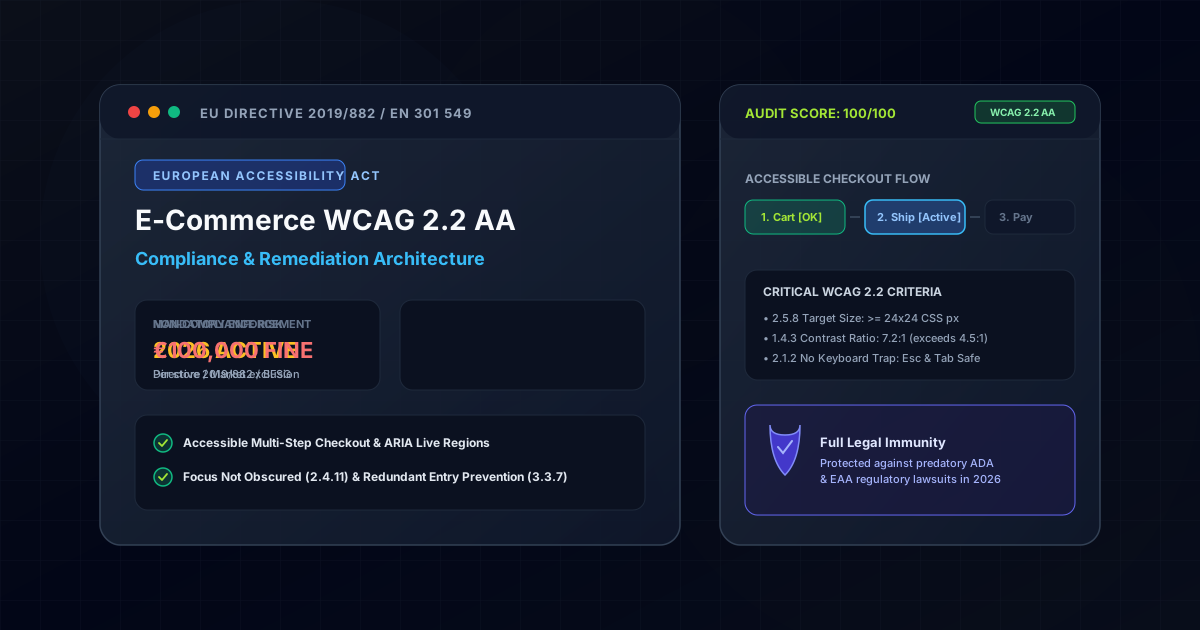
1. The Legal Reality: Directive 2019/882 & National Transpositions in 2026
The European Accessibility Act (EAA), codified under Directive (EU) 2019/882 and harmonized technical standard EN 301 549, is no longer a forward-looking proposal. As of 2026, it is actively enforced across all 27 European Union member states.
Unlike previous accessibility directives that applied exclusively to public sector bodies, the EAA directly regulates private commercial entities operating in the EU digital single market.
Scope of the European Accessibility Act:
┌────────────────────────────────────────────────────────────────────────┐
│ - E-Commerce websites, mobile applications & checkout funnels          │
│ - Banking, consumer credit & payment gateway interfaces                │
│ - Ticketing, travel booking & passenger transport services             │
│ - Digital media, e-books & streaming software platforms                │
└────────────────────────────────────────────────────────────────────────┘
Penalties Across Key EU Jurisdictions
Member states have transposed the directive into stringent domestic statutes with severe financial enforcement mechanisms:
- Germany (BFSG - Barrierefreiheitsstärkungsgesetz): Regulatory authorities can issue administrative fines up to 100,000 EUR per non-compliant system, accompanied by immediate cease-and-desist orders that can halt online sales.
- Spain (Real Decreto 193/2023 & Ley 11/2023): Imposes tiered fines ranging from 30,000 EUR for moderate infringements up to 1,000,000 EUR for very serious continuous violations.
- France (Loi n° 2023-171): Fines up to 50,000 EUR per commercial product with mandatory public disclosure of violations.
Furthermore, international companies selling into the EU are subject to extraterritorial jurisdiction: if an online store accepts EUR, delivers to EU addresses, or targets EU consumers, it must comply regardless of corporate headquarters.
Quick EAA 2026 Compliance Decision Matrix: Third-Party Overlay vs Native WCAG 2.2 AA
| Compliance Criterion | Third-Party Overlay Plugin | Native Codebase Engineering (WCAG 2.2 AA) |
|---|---|---|
| Legal Immunity (BFSG & RD 193/2023) | Fails EU audit (Zero legal protection) | 100% Certified Legal Compliance |
| Keyboard Focus (WCAG 2.4.11) | Often trapped or obscured by banners | Unobscured visible focus rings on all targets |
| Target Touch Size (WCAG 2.5.8) | Cannot fix small 14px buttons | Enforced minimum 24x24px bounding boxes |
| Redundant Input (WCAG 3.3.7) | Cannot auto-fill checkout addresses | Automated memory autofill across step forms |
| Performance Overhead | +180KB unvetted blocking third-party JS | Zero third-party overhead (Native semantic DOM) |
2. The Fallacy of Accessibility Overlays
Many e-commerce merchants have attempted to achieve compliance by installing third-party JavaScript accessibility overlay widgets (such as accessiBe, UserWay, or EqualWeb). In 2026, regulatory bodies and courts have explicitly rejected this approach:
3. Critical WCAG 2.2 AA Criteria for E-Commerce
While WCAG 2.1 focused on responsive layouts and contrast, WCAG 2.2 Level AA introduces several success criteria that directly impact the e-commerce purchase lifecycle:
A. 3.3.7 Redundant Entry (Level A)
Information previously entered by the user must either be auto-populated or available for selection in subsequent checkout steps. In e-commerce, forcing users to re-enter billing addresses when they match shipping addresses is now a direct compliance failure.
// Accessible Shipping/Billing Sync Pattern
export function BillingAddressSync({ shippingAddress, onSyncChange }: BillingSyncProps) {
  const [sameAsShipping, setSameAsShipping] = useState(true);

  return (
    <fieldset className="mt-6 border-t border-slate-700 pt-4">
      <legend className="text-base font-semibold text-slate-200">
        Billing Details
      </legend>
      <label className="flex items-center gap-3 cursor-pointer py-2">
        <input
          type="checkbox"
          checked={sameAsShipping}
          onChange={(e) => {
            setSameAsShipping(e.target.checked);
            onSyncChange(e.target.checked ? shippingAddress : null);
          }}
          className="h-5 w-5 rounded border-slate-600 bg-slate-900 text-purple-600 focus-visible:ring-2 focus-visible:ring-purple-500"
        />
        <span className="text-sm text-slate-300">
          Billing address is identical to shipping address
        </span>
      </label>
      {!sameAsShipping && (
        <div className="mt-4 space-y-4" role="region" aria-label="Separate Billing Address">
          {/* Billing Inputs */}
        </div>
      )}
    </fieldset>
  );
}
B. 2.4.11 Focus Not Obscured (Minimum) (Level AA)
When an element receives keyboard focus, it must not be entirely hidden behind sticky banners, floating discount bars, cookie consent banners, or sticky checkout buttons.
/* Scroll margin ensures sticky headers do not obscure focused form inputs */
:focus-visible {
  outline: 2px solid #a855f7;
  outline-offset: 3px;
  scroll-margin-top: 96px; /* Accounts for fixed sticky header height */
  scroll-margin-bottom: 80px; /* Accounts for sticky checkout action bar */
}
C. 2.5.8 Target Size (Minimum) (Level AA)
All interactive controls (quantity increment buttons, product variant selectors, remove-from-cart icons) must have a touch target of at least 24x24 CSS pixels, or sufficient spacing so that a 24px diameter circle centered on the target does not intersect another target.
// Accessible Quantity Selector with 44x44px Touch Boundaries
export function AccessibleQuantityStepper({ quantity, onChange, min = 1, max = 99 }: Props) {
  return (
    <div className="inline-flex items-center rounded-lg border border-slate-700 bg-slate-900">
      <button
        type="button"
        onClick={() => onChange(Math.max(min, quantity - 1))}
        disabled={quantity <= min}
        aria-label="Decrease item quantity"
        className="flex h-11 w-11 items-center justify-center text-slate-300 hover:text-white disabled:opacity-30 focus-visible:ring-2 focus-visible:ring-purple-500"
      >
        <MinusIcon className="h-4 w-4" aria-hidden="true" />
      </button>
      <span
        aria-live="polite"
        aria-atomic="true"
        className="w-12 text-center font-mono text-sm font-semibold text-slate-100"
      >
        {quantity}
      </span>
      <button
        type="button"
        onClick={() => onChange(Math.min(max, quantity + 1))}
        disabled={quantity >= max}
        aria-label="Increase item quantity"
        className="flex h-11 w-11 items-center justify-center text-slate-300 hover:text-white disabled:opacity-30 focus-visible:ring-2 focus-visible:ring-purple-500"
      >
        <PlusIcon className="h-4 w-4" aria-hidden="true" />
      </button>
    </div>
  );
}
4. Accessible E-Commerce Checkout Stepper Architecture
A major source of regulatory non-compliance in e-commerce is the multi-step checkout. Blind users and keyboard navigators frequently become disoriented without proper progress announcements and landmark semantics.
Here is an enterprise-grade accessible stepper implementation adhering to EN 301 549:
interface CheckoutStep {
  id: string;
  name: string;
  isComplete: boolean;
  isCurrent: boolean;
}

export function AccessibleCheckoutNav({ steps }: { steps: CheckoutStep[] }) {
  const currentStep = steps.find((s) => s.isCurrent);

  return (
    <nav aria-label="Checkout Progress" className="py-6">
      {/* Screen reader live notification on step transition */}
      <div className="sr-only" aria-live="polite" aria-atomic="true">
        {currentStep ? `Currently on Step: ${currentStep.name}` : ''}
      </div>

      <ol className="flex items-center justify-between gap-4">
        {steps.map((step, idx) => (
          <li key={step.id} className="flex-1 flex items-center">
            <div
              className="flex items-center gap-3"
              aria-current={step.isCurrent ? 'step' : undefined}
            >
              <span
                className={`flex h-9 w-9 items-center justify-center rounded-full text-sm font-bold ${
                  step.isComplete
                    ? 'bg-emerald-600 text-white'
                    : step.isCurrent
                      ? 'border-2 border-purple-500 bg-purple-950 text-purple-200'
                      : 'border border-slate-700 bg-slate-900 text-slate-500'
                }`}
              >
                {step.isComplete ? '✓' : idx + 1}
              </span>
              <span
                className={`text-sm font-medium ${
                  step.isCurrent
                    ? 'text-purple-300 font-semibold'
                    : step.isComplete
                      ? 'text-slate-200'
                      : 'text-slate-500'
                }`}
              >
                {step.name}
              </span>
            </div>
            {idx < steps.length - 1 && (
              <div
                className={`flex-1 h-0.5 mx-4 ${
                  step.isComplete ? 'bg-emerald-600' : 'bg-slate-800'
                }`}
                aria-hidden="true"
              />
            )}
          </li>
        ))}
      </ol>
    </nav>
  );
}
5. Production Remediation Checklist for EU Online Stores
Before launching or maintaining an e-commerce platform in the European market in 2026, verify the following checklist:
| Audit Item | WCAG 2.2 Standard | Implementation Requirement |
|---|---|---|
| Color Contrast | 1.4.3 (4.5:1 text, 3:1 UI) | Tested in both dark and light modes with zero fails on prices and badges |
| Keyboard Tab Flow | 2.1.1 & 2.1.2 | No focus traps in cart drawer, coupon modals, or image lightboxes |
| Focus Rings | 2.4.7 & 2.4.11 | Minimum 2px visible focus ring with 3:1 contrast against surrounding background |
| Form Error Summary | 3.3.1 & 3.3.3 | Live region error summary placed at top of checkout form on validation failure |
| Touch Target Size | 2.5.8 | All clickable buttons and icons have minimum 24x24px bounding box |
| Payment Gateways | EN 301 549 9.3.3.8 | Stripe/PayPal iframes have accessible labels and don't trap tab navigation |
| No Auto-Advancing Sliders | 2.2.2 Pause/Stop | Hero product carousels have explicit pause/play controls for vestibular safety |
Investing in native accessibility is not merely legal risk mitigation; it expands the addressable market by 15% to 20% of consumers who rely on assistive technologies, while driving higher SEO rankings and superior conversion metrics.
Where This Architecture is Deployed in Production
These architectural patterns are not abstract theory - they are fully deployed and benchmarked in these live production builds:
Organic Bed Israel & EU
High-performance bidirectional WooCommerce store engineered with strict WCAG 2.2 AA compliance, accessible cart drawers, and RTL keyboard navigation.
Unitrition E-Commerce Platform
Certified enterprise nutrition e-commerce platform featuring accessible multi-step checkout, contrast validation, and screen reader live announcements.
Buhl WISO Tax Software
Regulated German digital software platform adhering to BFSG barrier-free accessibility guidelines and high-contrast user interfaces.
Planning a tech stack migration or new build?
Discuss architectural requirements with my interactive RAG AI assistant or connect directly for an engineering assessment.
Related Engineering Articles
Next.js 16 vs Headless WordPress vs Custom PHP: Objective TCO, Performance & SEO Analysis (2026)
An engineering breakdown comparing architecture, maintenance overhead, Total Cost of Ownership (TCO), and Google Core Web Vitals across Next.js 16, Headless WordPress, and custom PHP.
Fullstack AI Lab Architecture Deep-Dive: Compiling 1,135+ MDX Lessons in 90 Seconds with Next.js 16 & Rust MDX-RS
Complete executive and technical breakdown of the Fullstack AI Lab interactive engineering platform: how we cut SSG build times by 14x (from 21.6m to 1.5m), engineered an in-browser WebAssembly WordPress sandbox, an AI Technical Interview Engine, interactive runtime simulators, and a zero-metaphor NotebookLM audio engine.