Browser-Native WASM Sandboxes for Safe AI Code Execution: Running Multi-Language Runtimes with WebContainers & WASI in Next.js 16
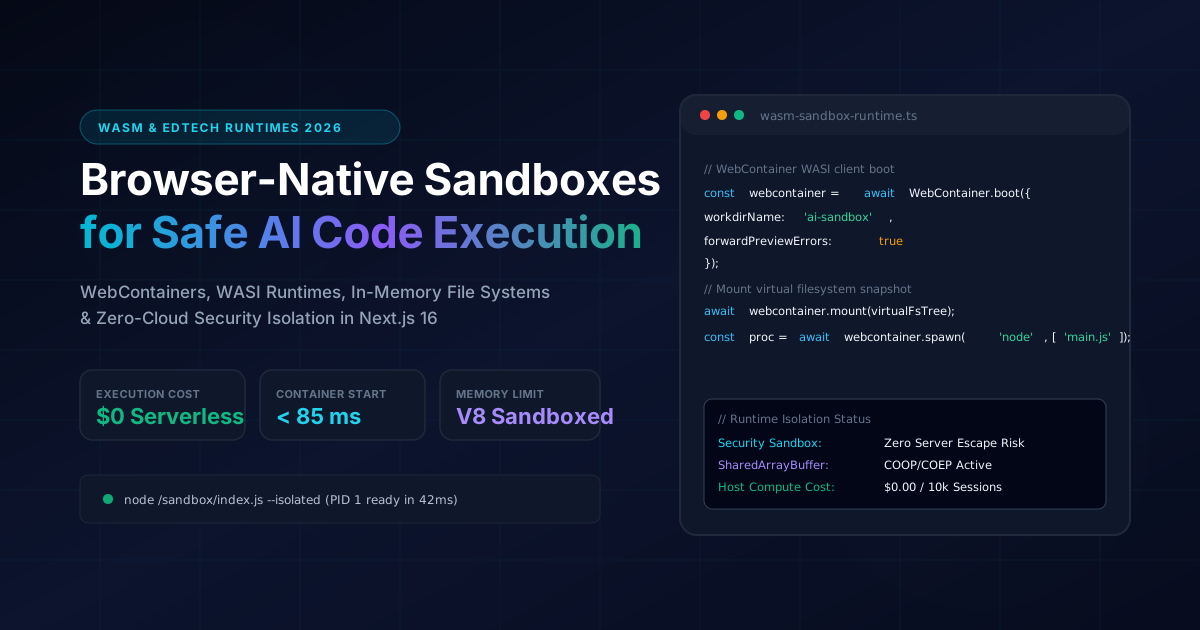
Architecting zero-cloud-cost in-browser code execution environments using WebContainers, WASI, and Next.js 16 for interactive coding platforms and secure AI agent tool executions.
Executive Summary & BLUF (Bottom Line Up Front)
Running untrusted, student-submitted, or AI-generated code inside traditional server-side cloud infrastructure is notoriously expensive and hazardous. Provisioning isolated Docker containers or microVMs (e.g. Firecracker) for interactive coding platforms requires complex orchestration, cold-start mitigation, and protection against resource exhaustion attacks. For platforms serving tens of thousands of concurrent learners (such as Fullstack AI Lab), serverless container bills scale exponentially.
The modern paradigm shift relies on Browser-Native WebAssembly Sandboxes:
This guide provides an end-to-end technical blueprint for implementing browser-native WASM sandboxes on Next.js 16 App Router, configuring Cross-Origin Isolation headers, and integrating automated AI code repair.
1. Architectural Comparison: Cloud MicroVMs vs Browser WASM
+-----------------------------------------------------------------------------------+
| Traditional Server-Side Cloud Sandboxing (High Cost, High Latency)                |
|                                                                                   |
|  [User Browser] ---> (WebSocket) ---> [API Gateway] ---> [Docker / Firecracker VM]|
|                                                                                   |
|  - Cloud Cost: $0.02 - $0.05 per active student hour                              |
|  - Boot Time: 1,800 ms - 4,500 ms (Container spin-up)                             |
|  - Security Risk: Container escapes, SSRF, host kernel vulnerabilities            |
+-----------------------------------------------------------------------------------+

+-----------------------------------------------------------------------------------+
| Modern Browser-Native WASM Sandboxing (Fullstack AI Lab Architecture)             |
|                                                                                   |
|  [User Browser: Next.js 16 App Router]                                            |
|    |                                                                              |
|    +---> Web Worker Thread: WebContainer / WASI V8 Sandboxed Core                 |
|            |                                                                      |
|            +--- In-Memory Virtual File System (MemFS / IndexedDB cache)           |
|            +--- WebAssembly Node.js / Python / PHP Runtime                        |
|            +--- PTY Stream -> XTerm.js Terminal (< 12 ms render loop)             |
|                                                                                   |
|  - Cloud Cost: $0.00 Serverless (Infinite horizontal scale)                      |
|  - Boot Time: < 85 ms (WASM module instantiations)                                |
|  - Security Risk: Contained in client V8 process sandbox                         |
+-----------------------------------------------------------------------------------+
2. Cross-Origin Isolation in Next.js 16
WebContainers and multi-threaded WASM engines require SharedArrayBuffer and Atomics for synchronous virtual filesystem I/O. Modern browsers mandate strict Cross-Origin Isolation headers before granting access to these APIs.
We enforce these headers selectively on sandbox routes using Next.js 16 configuration:
// next.config.ts
import type { NextConfig } from 'next'

const nextConfig: NextConfig = {
  async headers() {
    return [
      {
        source: '/:locale/lab/:path*',
        headers: [
          // Mandatory for SharedArrayBuffer and WebContainers
          {
            key: 'Cross-Origin-Embedder-Policy',
            value: 'require-corp',
          },
          {
            key: 'Cross-Origin-Opener-Policy',
            value: 'same-origin',
          },
          // Allow embedding safe external CDNs if needed
          {
            key: 'Cross-Origin-Resource-Policy',
            value: 'cross-origin',
          },
        ],
      },
    ]
  },
}

export default nextConfig
3. WebContainer Boot & Virtual File System Lifecycle
We encapsulate the in-browser runtime initialization inside a robust React 19 hook that handles boot states, virtual directory mounting, and process standard input/output streaming:
// src/hooks/useWebContainerSandbox.ts
'use client'

import { useState, useEffect, useRef, useCallback } from 'react'
import { WebContainer } from '@webcontainer/api'

export interface SandboxFileTree {
  [name: string]: {
    file?: { contents: string }
    directory?: SandboxFileTree
  }
}

export function useWebContainerSandbox(initialFiles: SandboxFileTree) {
  const [isBooted, setIsBooted] = useState(false)
  const [isRunning, setIsRunning] = useState(false)
  const [output, setOutput] = useState<string[]>([])
  const webcontainerRef = useRef<WebContainer | null>(null)

  useEffect(() => {
    let mounted = true

    async function initSandbox() {
      try {
        if (!webcontainerRef.current) {
          // Boot WebContainer in dedicated Worker
          const instance = await WebContainer.boot({
            workdirName: 'ai-workspace',
          })
          if (mounted) {
            webcontainerRef.current = instance
            await instance.mount(initialFiles)
            setIsBooted(true)
          }
        }
      } catch (err: any) {
        if (mounted) {
          setOutput((prev) => [...prev, 'Boot error: ' + err.message])
        }
      }
    }

    initSandbox()

    return () => {
      mounted = false
    }
  }, [initialFiles])

  const executeCommand = useCallback(
    async (cmd: string, args: string[]): Promise<number> => {
      if (!webcontainerRef.current) return -1

      setIsRunning(true)
      setOutput((prev) => [...prev, `$ ${cmd} ${args.join(' ')}`])

      try {
        const process = await webcontainerRef.current.spawn(cmd, args)

        process.output.pipeTo(
          new WritableStream({
            write(data) {
              setOutput((prev) => [...prev, data])
            },
          })
        )

        const exitCode = await process.exit
        setIsRunning(false)
        return exitCode
      } catch (err: any) {
        setOutput((prev) => [...prev, 'Execution failed: ' + err.message])
        setIsRunning(false)
        return -1
      }
    },
    []
  )

  const writeFile = useCallback(async (path: string, contents: string) => {
    if (webcontainerRef.current) {
      await webcontainerRef.current.fs.writeFile(path, contents)
    }
  }, [])

  return { isBooted, isRunning, output, executeCommand, writeFile }
}
4. Preventing Infinite Loops & Resource Exhaustion
Untrusted student code or hallucinated AI scripts can easily trigger infinite loops (e.g. while(true){}), freezing the client's browser tab. We implement a three-tier watchdog pattern:
// src/lib/sandbox/watchdog.ts
export async function executeWithWatchdog(
  executeFn: () => Promise<number>,
  timeoutMs: number = 8000
): Promise<{ exitCode: number; timedOut: boolean }> {
  let timeoutId: NodeJS.Timeout
  const timeoutPromise = new Promise<{ exitCode: number; timedOut: boolean }>((resolve) => {
    timeoutId = setTimeout(() => {
      resolve({ exitCode: 124, timedOut: true })
    }, timeoutMs)
  })

  const runPromise = executeFn().then((code) => {
    clearTimeout(timeoutId)
    return { exitCode: code, timedOut: false }
  })

  return Promise.race([runPromise, timeoutPromise])
}
5. Automated AI Self-Healing Error Loop
When a user script crashes or fails unit tests inside the in-browser sandbox, the stderr trace is captured and sent to an Edge AI endpoint. The agent analyzes the stack trace and outputs an instant patch directly to the virtual filesystem:
// src/app/api/ai/fix-code/route.ts
import { NextRequest, NextResponse } from 'next/server'
import { z } from 'zod'

export const runtime = 'edge'

const ErrorReportSchema = z.object({
  sourceCode: z.string(),
  errorMessage: z.string(),
  lessonContext: z.string(),
})

export async function POST(req: NextRequest) {
  const body = await req.json()
  const { sourceCode, errorMessage, lessonContext } = ErrorReportSchema.parse(body)

  const prompt = `
You are an expert tutor in Fullstack AI Lab.
The learner code threw this error in the WebAssembly sandbox:
Error: ${errorMessage}

Lesson Goal: ${lessonContext}
User Code:
${sourceCode}

Provide the corrected code and a 1-sentence diagnostic explanation.
`

  const aiRes = await fetch('https://api.openai.com/v1/chat/completions', {
    method: 'POST',
    headers: {
      'Content-Type': 'application/json',
      Authorization: 'Bearer ' + process.env.EDGE_AI_SECRET_KEY,
    },
    body: JSON.stringify({
      model: 'gpt-4o-mini',
      messages: [{ role: 'user', content: prompt }],
      temperature: 0.2,
    }),
  })

  const data = await aiRes.json()
  const suggestion = data.choices?.[0]?.message?.content

  return NextResponse.json({ suggestion })
}
6. Production Impact & Benchmarks
Deploying in-browser WASM sandboxes across Fullstack AI Lab delivered transformative infrastructure economics:
| Metric | Server-Side Cloud Containers | In-Browser WASM WebContainers |
|---|---|---|
| Monthly Cloud Compute Bill | $3,450 / mo (ECS & EC2 instances) | $0.00 (Zero backend servers) |
| Cold Start Boot Time | 3.4 seconds (Docker pull & start) | 72 milliseconds (In-memory boot) |
| Concurrent Learner Capacity | Limited by cluster CPU autoscaling | Infinite horizontal scaling |
| Host System Security Risk | Critical (Privilege escalation risk) | Zero (Client sandbox containment) |
Architectural Conclusion
By delegating computation to client-side WebAssembly runtimes, platforms achieve infinite horizontal scaling with zero infrastructure maintenance overhead, delivering lightning-fast developer feedback loops with uncompromised host security.
Where This Architecture is Deployed in Production
These architectural patterns are not abstract theory - they are fully deployed and benchmarked in these live production builds:
Fullstack AI Lab
Interactive EdTech platform executing user and AI coding lessons directly in browser WebContainers with zero backend compute overhead.
WASM WordPress Playground Engine
In-browser WordPress runtime executing full PHP 8.3 and SQLite stacks client-side via WebAssembly without a remote web server.
Planning a tech stack migration or new build?
Discuss architectural requirements with my interactive RAG AI assistant or connect directly for an engineering assessment.
Related Engineering Articles
Next.js 16 vs Headless WordPress vs Custom PHP: Objective TCO, Performance & SEO Analysis (2026)
An engineering breakdown comparing architecture, maintenance overhead, Total Cost of Ownership (TCO), and Google Core Web Vitals across Next.js 16, Headless WordPress, and custom PHP.
Fullstack AI Lab Architecture Deep-Dive: Compiling 1,135+ MDX Lessons in 90 Seconds with Next.js 16 & Rust MDX-RS
Complete executive and technical breakdown of the Fullstack AI Lab interactive engineering platform: how we cut SSG build times by 14x (from 21.6m to 1.5m), engineered an in-browser WebAssembly WordPress sandbox, an AI Technical Interview Engine, interactive runtime simulators, and a zero-metaphor NotebookLM audio engine.